Kijiji Scam Alert: A Fake Payment Email with a Fraud Link
I want to share a short real story as a reminder to stay careful with email links.
I posted a Kijiji ad to sell a kitten. Almost immediately, I received an email from someone asking about it. Soon after, another email arrived saying the order was completed.
That email included a link and looked urgent, as if I needed to continue the payment flow.
Unsafe link from the email (do not open):
hxxps://1nv0se8716523[.]cfd/182031044
When opened, the page looked very close to a real Kijiji-related page, including a message that looked like a withdrawal or funds action.
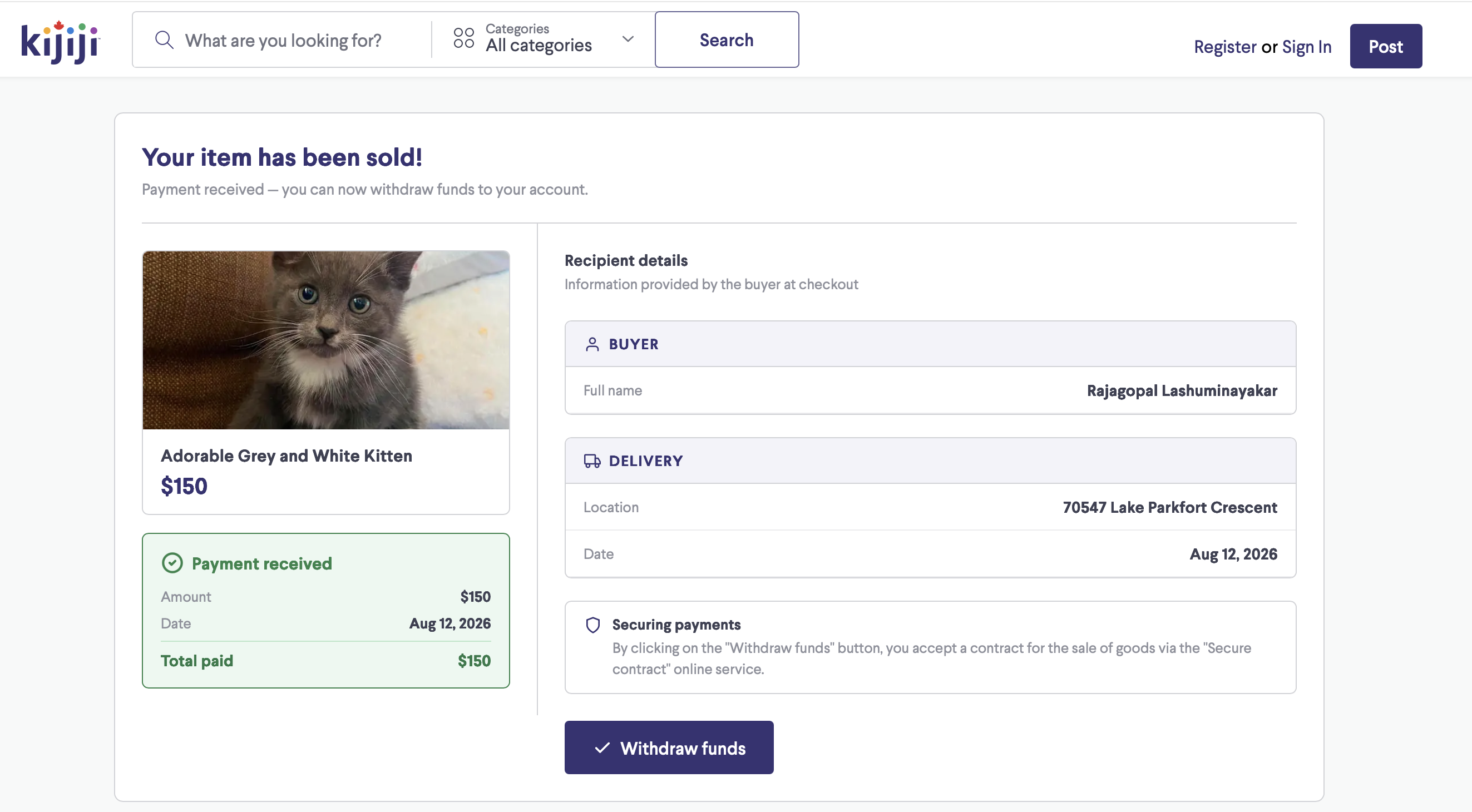
I was shocked, but I stayed cautious and security-minded: I did not click any buttons on that page.
Why this scam works
Phishing emails often combine:
- timing pressure (right after you post an ad)
- emotional triggers ("payment completed", "withdraw funds now")
- a page that visually imitates a trusted brand
The design can look real. The URL is usually the biggest warning sign.
Red flags from this incident
- The domain was unrelated and suspicious.
- The message pushed quick action.
- The process happened too fast to be normal.
- The page asked for sensitive actions outside the expected official app/website flow.
How to protect yourself
Before clicking any email link, pause and verify:
- Check the domain carefully, character by character.
- Do not trust brand logos or familiar page styles alone.
- Open the official website or app manually instead of using email links.
- Verify order/payment status from your official account dashboard.
- Never enter card, banking, or login details on pages reached from suspicious emails.
- If already clicked, close the page immediately and do not interact further.
If you already interacted with a phishing page
Take action right away:
- Change your password for the affected account.
- Enable two-factor authentication.
- Contact your bank/card provider if payment data was entered.
- Report the phishing email to the platform and your email provider.
Final reminder
Think three times before clicking any link in an email, even when the page looks legitimate.
A trusted-looking design can be copied. A trusted domain cannot.